Local File Inclusion (LFI)
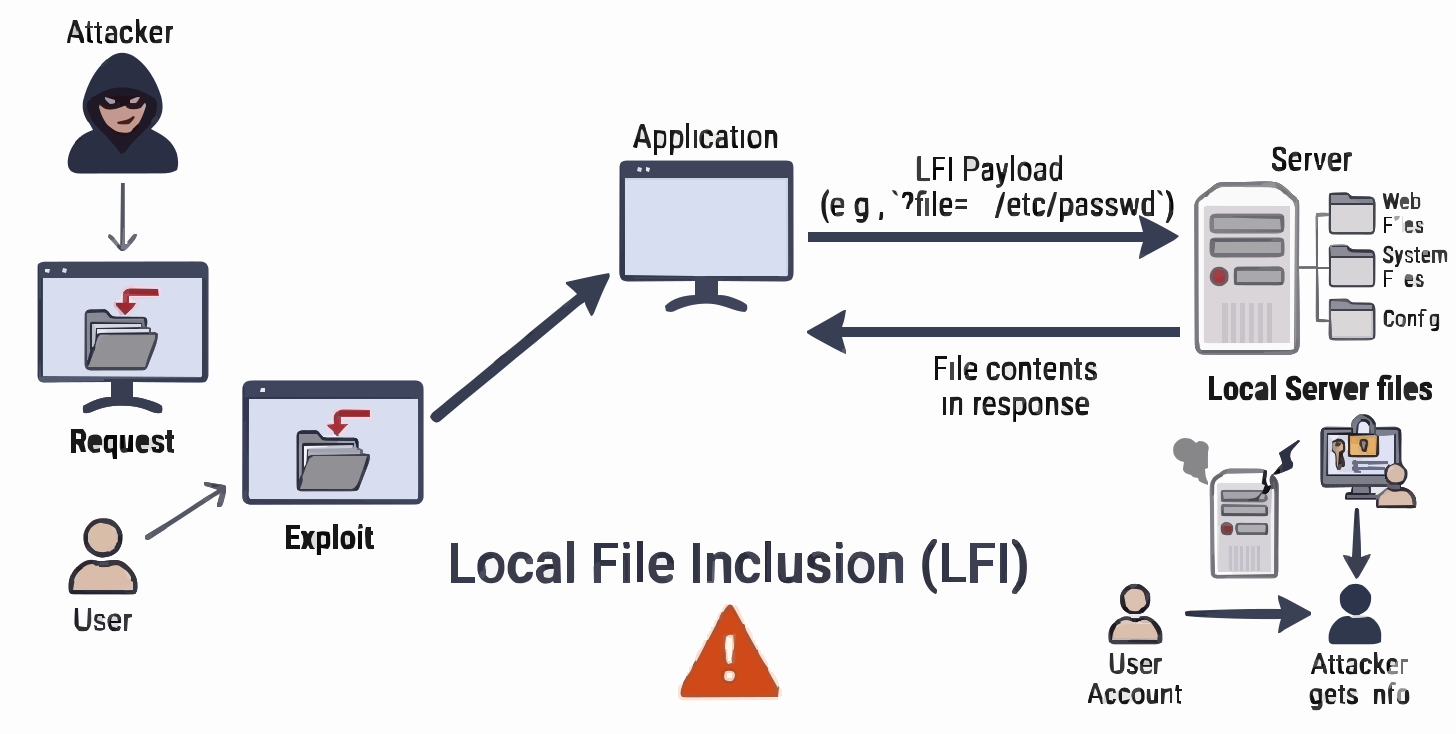
What is it?
Local File Inclusion (LFI) occurs when an API allows user-controlled input to be used in file path operations without proper validation, enabling attackers to read or include files from the server’s local filesystem.
In APIs, LFI vulnerabilities typically arise in endpoints handling file retrieval, configuration loading, document rendering, or dynamic resource access.
Successful exploitation can lead to:
- Exposure of sensitive system files (e.g.,
/etc/passwd, config files) - Disclosure of application source code
- Leakage of credentials, API keys, or environment variables
- Potential escalation to Remote Code Execution (in certain configurations)
What are specific examples?
- Path traversal using sequences like
../../../../etc/passwd - File download endpoints accepting arbitrary file paths
- Template or config loaders using user-controlled filenames
- Log file access via manipulated input
- Inclusion of unintended files due to improper path normalization
Test case FAQs
When is this test case applicable?
- APIs that read, include, or serve files from the filesystem
- Endpoints accepting file paths, filenames, or resource identifiers
- File download, preview, or export functionalities
- Systems dynamically loading templates or configuration files
How does it work?
Prerequisites
- Identification of file-related input parameters (path, filename, resource ID)
- Knowledge of common sensitive file locations
- Ability to inject path traversal payloads
Test sequence
- Identify input vectors used in file operations:
- Query parameters (e.g.,
file=,path=) - Request body fields
- Query parameters (e.g.,
- Inject path traversal payloads:
../sequences- Encoded variants (
%2e%2e/, double encoding)
- Attempt access to sensitive files:
- System files (
/etc/passwd,/proc/self/environ) - Application configs (
.env, config files)
- System files (
- Test bypass techniques:
- Path normalization tricks
- Null byte injection (legacy cases)
- Mixed encoding or separators
- Analyze responses for file content disclosure or errors
Success/Failure indications
-
Failure (vulnerable):
- Sensitive file contents returned in response
- Path traversal successfully bypasses directory restrictions
- Error messages revealing file paths or system structure
-
Success (secure):
- Access restricted to intended directories only
- Path traversal attempts consistently blocked
- No leakage of filesystem structure or sensitive data
What is the solution?
- Validate and sanitize all file path inputs
- Use allowlists for permitted file names or directories
- Normalize paths before processing and enforce directory constraints
- Avoid direct filesystem access based on user input
- Store sensitive files outside accessible directories
- Implement proper access controls on file operations
- Log and monitor suspicious file access attempts
References
Was this page helpful?