Find your Organization ID
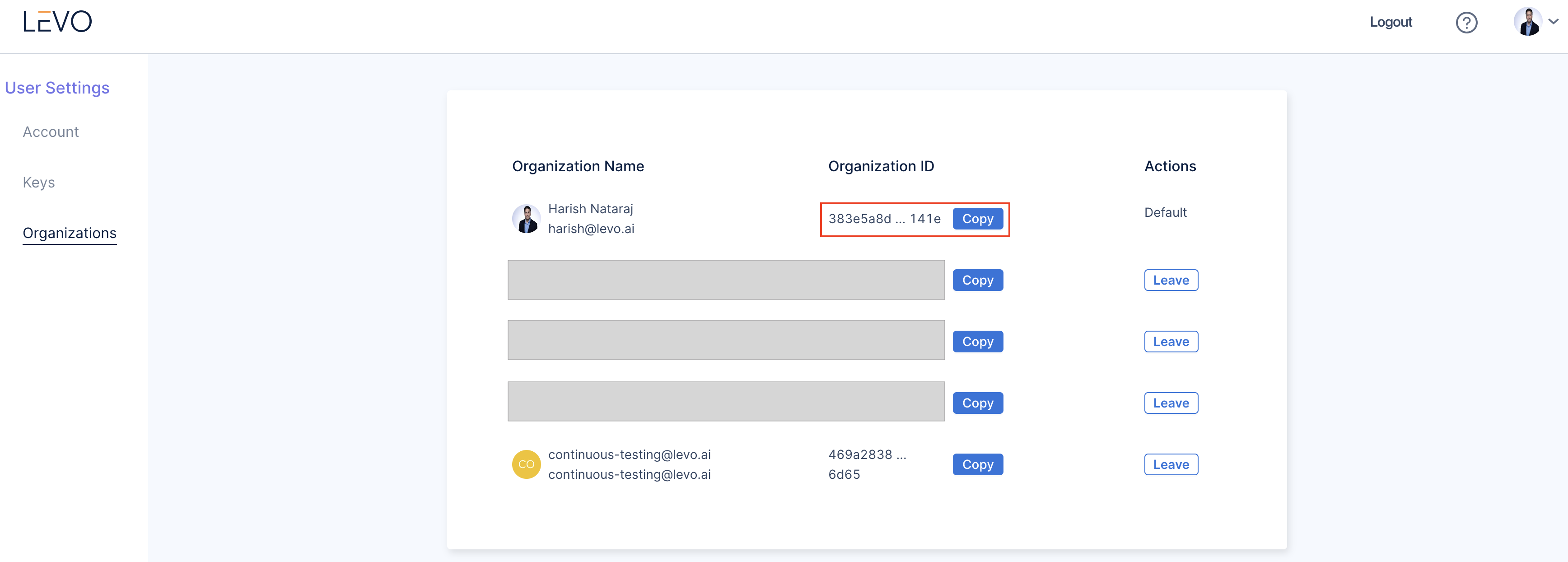
Users can belong to multiple organizations, each with a unique organization ID. This ID is required by many integrations and automation workflows. Use the steps below to retrieve it:
- Log in to Levo.ai.
- Click on your User Profile.
- Select User Settings from the menu.
- Navigate to Organizations on the left-hand side navigation panel.
- Copy and save the ID of the organization you need.
Need Help?
For further assistance, please reach out to support@levo.ai.
Was this page helpful?