Component Alerting
When you finish this section, your team will be notified — on Slack, email, Microsoft Teams, Splunk, or a webhook — whenever a Levo component running in your infrastructure stops reporting in, and you will be able to silence individual components you already know about without muting the rest of the fleet.
This matters because the failure is silent. Satellites, traffic capture sensors, taggers, AI Gateways, DAST Runners, and API test runners all run inside your own environment. If one stops, Levo stops seeing part of your API traffic, and nothing in the product reports an error — the catalog stops changing, and that is the only symptom. Component alerting closes that gap.
Scope
In scope
- How Levo decides a component has gone quiet, and the windows behind each state
- Configuring who is notified, on what delay, and through which destination
- Silencing, retiring, or removing an individual component
Out of scope
- Installing or upgrading the components themselves — see Install Satellite and Capture API Traffic
- Vulnerability, changelog, and scan notifications, which are separate categories on the same Notifications page
- Alerting on API traffic volume or endpoint behavior, as opposed to component liveness
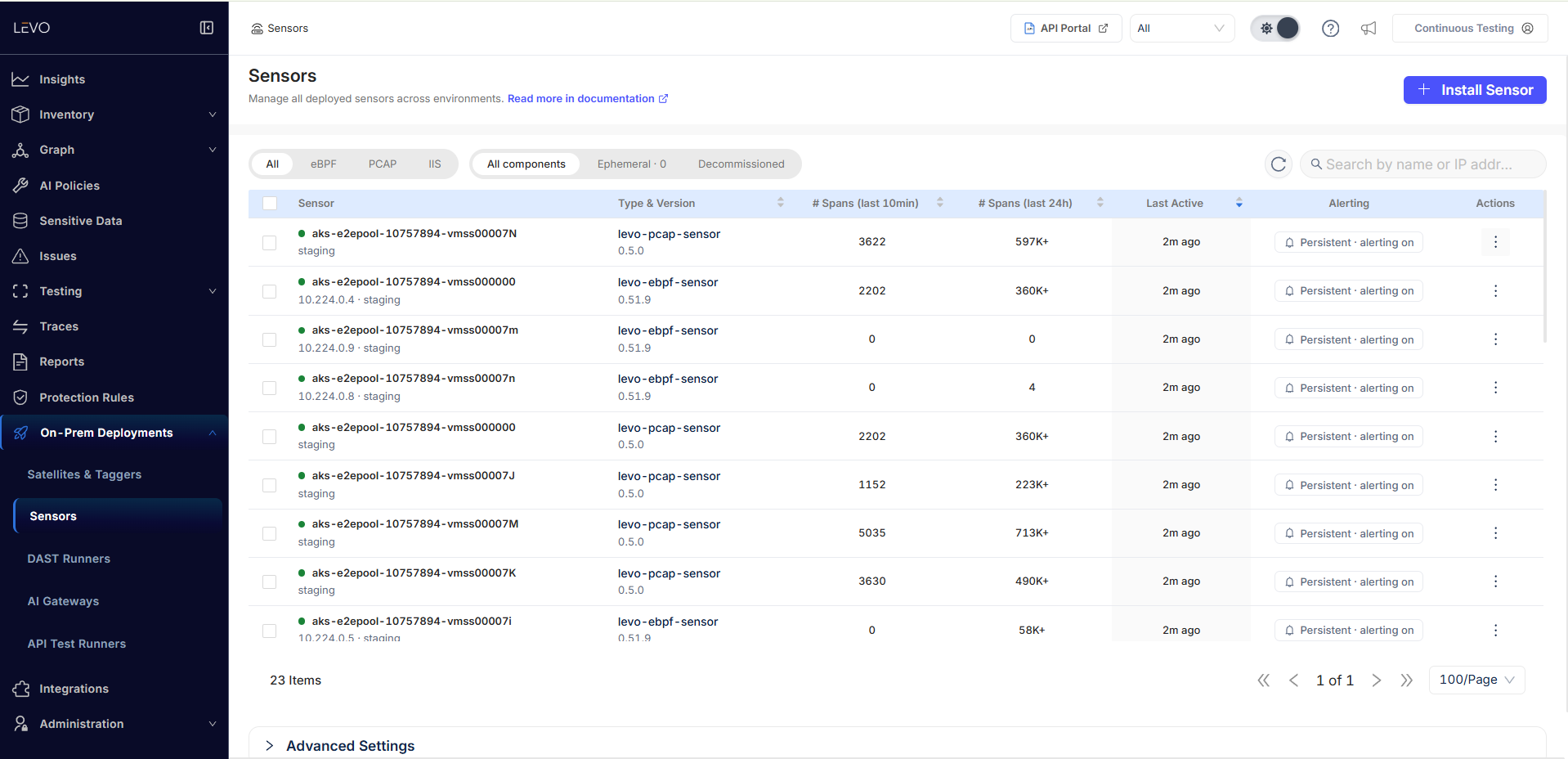
Each On-Prem Deployments page lists its components with a status dot, when each was last active, and the current alerting state for that row — Persistent · alerting on for a component Levo will alert on. The tabs across the top let you narrow to Ephemeral or Decommissioned components, and the Ephemeral tab carries a count so you can see at a glance how much of the fleet has been opted out of alerting.
The three parts
Component alerting is three separate mechanisms, and most confusion about it comes from assuming there is only one. They are checked in this order:
| What it decides | Where you configure it | |
|---|---|---|
| 1. Component state | Whether a component counts as quiet at all — Active, Stale, or Down. Driven entirely by Levo; there is nothing to configure. | — |
| 2. Per-component controls | Whether this specific component is in scope for alerting. A component that is snoozed, marked ephemeral, or decommissioned is skipped before any rule is read. | The ... menu on each row of the On-Prem Deployments pages |
| 3. Notification rules | Whether anyone is listening, on what timing, and where the message goes. | Administration → Notifications → Component Health |
A component only ever pages someone when all three line up: it reached Down, it is not silenced on its own row, and at least one enabled notification rule matches it.
The timeline
From the last time Levo saw a component to the first message in your inbox:
| Elapsed since last seen | What happens |
|---|---|
| 0 | Last heartbeat or last API traffic from the component. |
| 30 minutes | Levo marks it Stale. Visible on the page. No alert of any kind. |
| 4 hours | Levo marks it Down, and the alert clock starts here. |
| 4 hours + your rule's threshold | Rules are matched and the notification is sent. The minimum threshold is 30 minutes. |
So the earliest possible alert is 4 hours 30 minutes after a component was last seen, and every timing carries up to 5 more minutes of lag because Levo re-checks components on a 5-minute cycle.
Stale is informational only. Nothing is queued and nothing is pending while a component is Stale — it is not an early stage of an alert. Only Down can produce a notification, which is why the alert email and Slack message say COMPONENT DOWN rather than "stale".
A single signal — one heartbeat, or one API call captured — resets the clock to zero and returns the component to Active immediately.
Recovery messages are replies
You only receive a "component recovered" message if Levo had already alerted you that the component went down. If a component goes quiet and comes back before the 4 h 30 m mark, no alert was ever sent, so there is nothing for a recovery message to reply to.
This is deliberate: without it, a hundred components blipping overnight would produce a hundred "recovered" messages for a hundred outages nobody was ever told about.